Free · No sign-in · Files stay on your device
Edit subtitle text and timing in your browser.
Load SRT or VTT, edit each caption, add or remove cues and check timing warnings. Use an optional local video preview, then export SRT, VTT or TXT.
UTF-8 only. Up to 500 KB total and 5,000 cues. Keep your originals.
Subtitle contents, video and filenames are not uploaded. Anonymous usage counts may be sent without file contents.
Choose a file or paste text to begin.
How to edit subtitles online
- Choose an SRT or VTT file. You can also start with the fictional example.
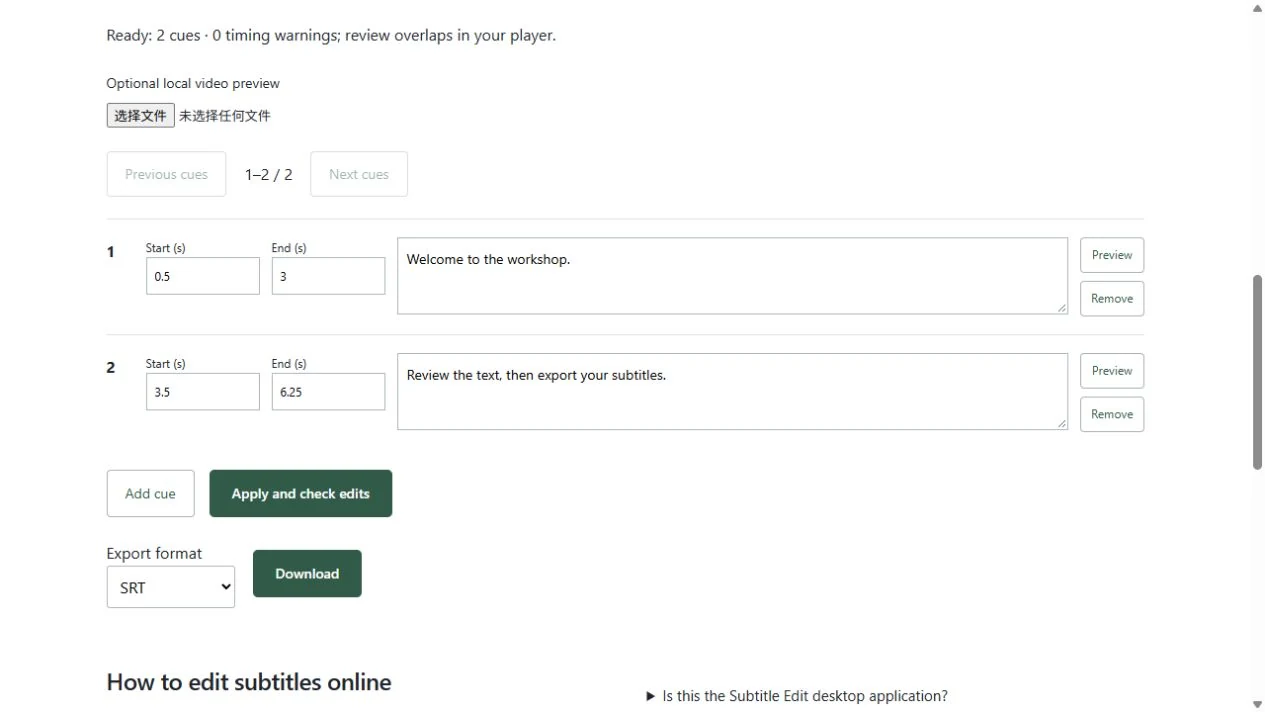
- Edit cue text and start/end times. Optionally select a local video to check synchronization.
- Apply and validate your edits, then download the format you need.
Is this the Subtitle Edit desktop application?
No. DoneCove is an independent browser tool, with no affiliation to Subtitle Edit. This editor handles caption text and timing; it does not burn subtitles into video.
Is an account required?
No account is needed for this local editor. Cloud AI translation is a separate workbench with its own sign-in and usage limits.
Does it automatically synchronize speech?
No. The video preview helps you review and adjust cue times manually. It does not perform forced alignment.
See the tools in use
Real interface captures using fictional sample subtitles. Open a tool to try the same workflow.